Tonkeeper Pro on iPad: Multi-Send, Multisig and Multi-Account for Advanced TON Users
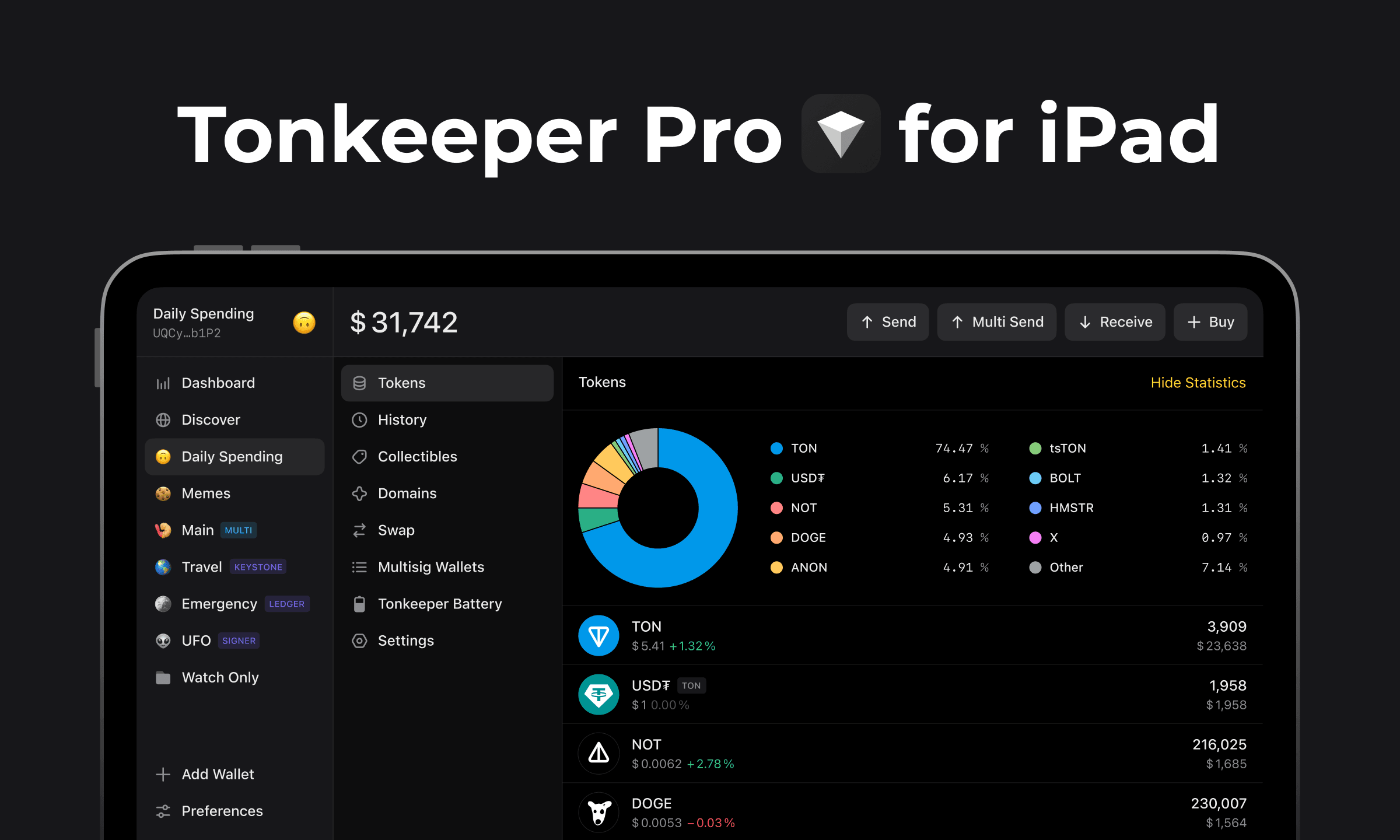
Tonkeeper Pro is the professional-grade wallet subscription for the TON ecosystem ! and it is now available as a native iPad app. The large-screen interface makes it particularly well-suited for the workflows that Pro is built around: managing multiple wallets, monitoring batch transactions, and reviewing multisig approvals across a team.
This article covers the three core features of Tonkeeper Pro, how they work in practice, and who they are designed for.
Multi-Send: Up to 255 Transactions in One Operation
Multi-Send is Tonkeeper Pro's batch payment tool. Instead of initiating individual transactions one at a time, Multi-Send processes up to 255 separate transfers in a single operation.
Practical applications include:
- Payroll: pay all employees or contractors from a single corporate wallet in one action
- Token distributions: distribute airdrop allocations, community rewards, or staking payouts to hundreds of addresses simultaneously
- Giveaways and prizes: send prizes to multiple winners without repetitive individual transactions
- Affiliate and referral payments: batch-process commission payments to affiliate partners
Each recipient in the batch can receive a different amount. The total gas fee for the batch operation is significantly lower than the sum of 255 individual transaction fees, since TON's multi-message architecture supports batching natively. At an average fee of ~0.0055 TON per transfer, 255 individual transfers would accumulate meaningful fee cost that batching avoids.
Multisig: Multi-Signature Wallets for Shared Custody
A multisig (multi-signature) wallet requires a defined number of participants to approve any transaction before it is executed. Tonkeeper Pro allows you to create and manage multisig wallets directly in the app.
How it works in practice: you define the wallet participants and the signing threshold. A common configuration for a team treasury is 2-of-3 ! any two of three designated participants must approve a transaction. No single person can move funds unilaterally. All three can see the pending transaction; any two can authorize it.
Use cases where multisig is the standard approach:
- Team and project treasuries: DAO funds, project wallets, community reserves ! any pool where multiple stakeholders have legitimate interest in preventing unilateral control
- Business accounts: corporate wallets where finance and leadership jointly need to authorize significant transfers
- Personal cold storage with shared backup: an individual can set up a 2-of-3 multisig with trusted family members to ensure funds remain accessible if one party loses their device
Multi-Account: Organize Multiple Wallets from One Interface
Multi-Account management in Tonkeeper Pro lets you create, label, and switch between multiple distinct wallets from a single app session ! without logging out and back in with different seed phrases.
Typical organization setups:
- A holding wallet for long-term assets, connected to Signer for offline security
- A trading wallet for active positions and DeFi activity
- An NFT wallet separating collectibles from liquid assets
- Separate wallets per department or budget center for business users
On iPad, the wider display makes switching between wallets and reviewing balances across accounts significantly more practical than on a phone screen.
How to Download Tonkeeper Pro on iPad
- Open the App Store on iPad and download Tonkeeper Pro.
- Open the app.
- Tap Get Pro in the bottom-left corner to activate your subscription.
A three-month trial is available at launch ! tap "Continue with Pro" to activate it instantly.
Already using Tonkeeper on desktop? Scan the QR code in your desktop dashboard to install on iPad in seconds without re-entering credentials.
Download Tonkeeper Pro: tonkeeper.com/pro